 Skip to content


Turn an Existing Schematic into a PCB Layout
Send your schematic, component information and mechanical requirements. Topline Circuit reviews the inputs, confirms any schematic capture or footprint work, and prepares the PCB layout and manufacturing files specified in your quote.
What to Send Before Layout
| Input | What to include |
|---|---|
| Schematic and revision | Native CAD project or a complete PDF with all sheets. Include a netlist from the same revision if available. For native files, specify the CAD tool and version. |
| Parts and footprints | Bill of materials (BOM) with reference designators and manufacturer part numbers, plus any custom libraries and critical component datasheets. |
| Mechanical requirements | Dimensioned board outline with units, mounting hole diameters and locations, fixed connector positions and mating directions, height limits and keep-out areas. |
| Electrical constraints | Target layer count or stack-up if defined, critical interfaces and any single-ended or differential impedance targets and tolerances (ohms or percent). For length matching, identify the affected nets and the permitted length mismatch (mm) or timing skew (ps). |
Confirm Connectivity and Footprints
We review the schematic revision and check that component pin numbers map to the intended footprint pads. For a PDF-only handoff, we agree on the capture scope and resolve unclear net labels, connector pinouts and component packages with you before layout.

Review Placement and Routing

Review fixed connectors, mounting holes and height limits before routing begins. Identify critical nets and confirm the stack-up and applicable routing rules. Before release, review connectivity and design-rule check results with your team and resolve open manufacturing issues.
See our PCB layout services for supported design platforms and routing capabilities.
Approve the Layout and Production Files
Confirm the outputs in your quote. For fabrication, these can include Gerber with matching NC drill data or ODB++, plus the fabrication drawing. For assembly, agree on the BOM, pick-and-place data and assembly drawings.
If you need to edit the design later, request the native project files and any required libraries. Identify who approves the layout and which revision can go to production.
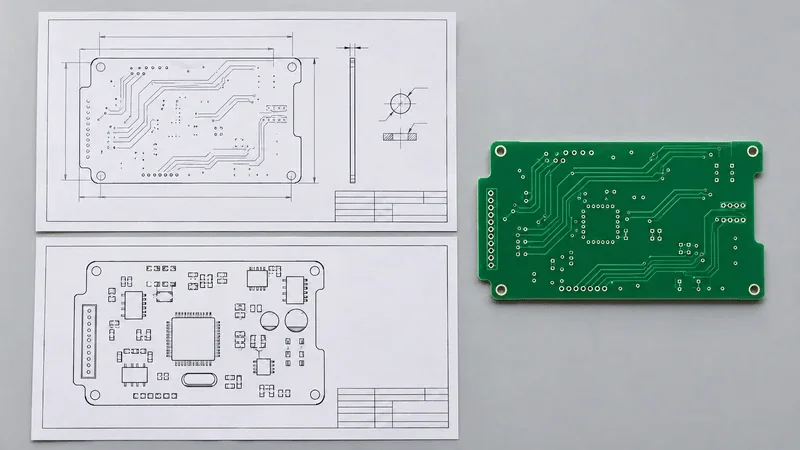
Send the Current Revision for Review
Include the schematic revision, board dimensions and the files you need delivered. Flag any inputs still in progress and tell us whether you also need fabrication or assembly.
Review our PCB DFM service and PCB DFA service when defining the checks needed before production.
Schematic to PCB FAQs
Yes, for an initial review. Send all pages, the revision, the BOM or exact part numbers, and the board outline. Include a netlist if available. We will confirm what needs to be recreated in CAD and which details need your approval.
Use the netlist for an initial connectivity review. To scope the layout, also send the matching schematic, exact part numbers or approved footprint libraries, and a dimensioned board outline with fixed connector and mounting locations. If any of those are missing, flag them in your request.
Send the reference designator, exact manufacturer part number and datasheet with the package drawing and pin assignments. If the part has multiple package options, identify the one you will use. We can review the pin-to-pad mapping and agree on any library work needed.
Send the revised schematic and a change list. Identify the previous revision and the affected parts or nets, and include an updated netlist if available. After you approve the layout changes, regenerate the affected fabrication and assembly files from the same design revision.
Discuss Your Schematic-to-PCB Project
Send your schematic, component data and board requirements. Tell us which design and production files you need.